Introducing ClawKit: A Setup Wizard for OpenClaw Knowledge Bases ClawKit:為 OpenClaw 知識庫打造的設定精靈
A RAG (Retrieval-Augmented Generation) knowledge base is one of the most useful things you can give an AI agent — feed it your notes, documents, or code, and it can answer from your material instead of guessing. The catch is the setup: vector concepts, configuration files, skill installs, a hand-written personality file. For anyone who isn’t already comfortable with that, it’s a wall.
ClawKit removes that wall. It’s a small wizard that asks a few plain-language questions and hands back a complete, ready-to-use OpenClaw configuration package. No CLI, no editing JSON by hand.
The problem it solves
OpenClaw lets you give an agent a RAG knowledge base — but to get there you normally have to write an openclaw.json config, lay out a workspace folder, install the right skills, and craft a SOUL.md that defines the agent’s personality. If you’ve installed OpenClaw and can follow instructions, but you’ve never touched a vector database or a config file, that last mile is intimidating.
ClawKit is built for exactly those users. You answer questions; it writes the config.
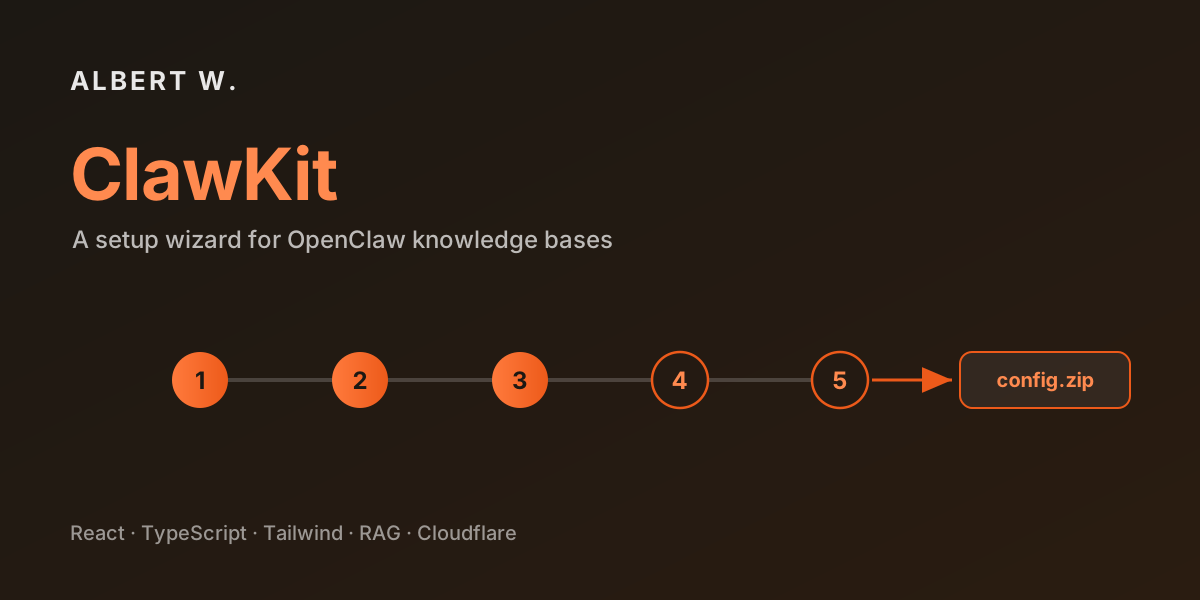
How it works — a five-step wizard
The flow is short, with each step’s options adapting to your earlier answers:
- Use case — what should the agent know about? (personal notes, work documents, research papers, code projects, or custom)
- Document formats — what file types will you add? (Markdown, PDF, plain text, CSV, JSON)
- LLM provider — what are you running OpenClaw with? (local Ollama, OpenAI, Anthropic, or other)
- Privacy preference — should everything stay on your own machine, or is the cloud OK?
- Agent personality — tone, language, and areas of expertise
That’s it. From those answers, ClawKit generates the whole package.
What you get
The output is a complete, tailored config bundle:
- A ready-to-paste
openclaw.jsonconfiguration snippet - A customised
SOUL.mdbuilt from your personality answers - A recommended workspace folder structure
- The skill install commands you actually need
- A step-by-step installation guide matched to your specific setup
You can copy any piece to your clipboard, or download the whole thing as a .zip (generated in-browser with JSZip) and apply it to your own OpenClaw instance.
The key design decision: fully client-side, stateless
ClawKit has no backend and no database, and it stores nothing. Every answer you give and every file it generates lives only in your browser tab. That single decision pays off three ways:
- Privacy — your answers (which may describe private notes or work documents) never leave your machine.
- Zero-config deployment — it’s a static site with no environment variables, no server, and nothing to secure. It drops straight onto Cloudflare with a build command and an output directory.
- Effectively free to run — no compute, no storage, no moving parts to maintain.
For a tool whose entire job is generating text and a zip, a server would have been pure overhead. Doing it all in the browser is both simpler and safer.
Tech stack
| Layer | Technology |
|---|---|
| UI | React 18 + TypeScript |
| Build | Vite |
| Styling | Tailwind CSS |
| i18n | react-i18next |
| Output | JSZip (download) + Clipboard API (copy) |
| Hosting | Cloudflare |
The wizard logic lives in a small set of typed step definitions and a useWizard hook for state; the generation logic is a pure function from answers to files — which also makes it easy to unit-test.
Bilingual from the start
Like this blog, ClawKit ships in English and Traditional Chinese, auto-detects your browser language, and has a manual toggle — so the people it’s aimed at can use it in the language they’re most comfortable with.
ClawKit is open source (MIT). If you run OpenClaw — or you’re just curious how a stateless config generator is put together — try the live demo at claw.jw-albert.dev, and browse the source on GitHub.
RAG(檢索增強生成) 知識庫是你能給 AI 代理人最實用的能力之一 ── 把你的筆記、文件或程式碼餵給它,它就能根據「你的」資料回答,而不是憑空猜測。問題出在設定:向量概念、設定檔、技能安裝,還有一份要手寫的人格檔。對還不熟悉這些的人來說,這就是一道牆。
ClawKit 就是來拆掉這道牆的。它是一個小型精靈,問你幾個白話的問題,然後交還一份完整、可直接套用的 OpenClaw 設定包。不需要 CLI,也不必手改 JSON。
它解決的問題
OpenClaw 可以讓代理人擁有 RAG 知識庫 ── 但要走到那一步,你通常得自己寫 openclaw.json 設定、規劃工作區資料夾、安裝對的技能,還要寫一份定義代理人人格的 SOUL.md。如果你已經安裝好 OpenClaw、也能照著步驟操作,卻從沒碰過向量資料庫或設定檔,這「最後一哩路」會讓人卻步。
ClawKit 正是為這群使用者而生:你回答問題,它幫你把設定寫好。
運作方式 ── 五步驟精靈
流程很短,而且每一步的選項會依照你前面的回答調整:
- 使用情境 ── 你希望代理人了解什麼?(個人筆記、工作文件、研究論文、程式專案,或自訂)
- 文件格式 ── 你會加入哪些檔案類型?(Markdown、PDF、純文字、CSV、JSON)
- LLM 供應商 ── 你的 OpenClaw 搭配什麼模型?(本地 Ollama、OpenAI、Anthropic,或其他)
- 隱私偏好 ── 一切是否都要留在自己的機器上,還是可以上雲?
- 代理人人格 ── 語氣、語言與專長領域
就這樣。ClawKit 會根據這些回答產生整份設定包。
你會得到什麼
輸出是一份完整、量身打造的設定包:
- 可直接貼上的
openclaw.json設定片段 - 依你的人格回答客製的
SOUL.md - 建議的 工作區資料夾結構
- 你真正需要的 技能安裝指令
- 對應你實際設定的 逐步安裝指南
你可以把任何一段 複製 到剪貼簿,或把整包 下載成 .zip(由瀏覽器端的 JSZip 產生),再套用到你自己的 OpenClaw 上。
關鍵設計決策:純前端、無狀態
ClawKit 沒有後端、沒有資料庫,也不儲存任何東西。你輸入的每個回答、它產生的每個檔案,都只存在於你的瀏覽器分頁裡。這個決定帶來三個好處:
- 隱私 ── 你的回答(可能描述了私人筆記或工作文件)永遠不會離開你的電腦。
- 零設定部署 ── 它是純靜態網站,沒有環境變數、沒有伺服器、也沒有需要防護的後端,直接掛上 Cloudflare(設定建置指令與輸出目錄即可)。
- 幾乎零成本 ── 沒有運算、沒有儲存、沒有需要維護的元件。
對一個「工作就是產生文字與一個 zip」的工具來說,後端純粹是多餘的負擔。全部在瀏覽器完成,既更簡單也更安全。
技術選型
| 層級 | 技術 |
|---|---|
| 介面 | React 18 + TypeScript |
| 建置 | Vite |
| 樣式 | Tailwind CSS |
| 多語系 | react-i18next |
| 輸出 | JSZip(下載)+ Clipboard API(複製) |
| 部署 | Cloudflare |
精靈邏輯收斂在一組有型別的步驟定義與一個管理狀態的 useWizard hook;產生設定的邏輯則是一個「從回答到檔案」的純函式 ── 這也讓它很容易做單元測試。
一開始就雙語
就像這個部落格一樣,ClawKit 同時提供 英文與繁體中文,會自動偵測瀏覽器語言,也有手動切換 ── 讓它所面向的使用者,能用自己最習慣的語言操作。
ClawKit 為開源專案(MIT 授權)。如果你正在使用 OpenClaw ── 或單純好奇一個無狀態的設定產生器是怎麼組起來的 ── 歡迎到 claw.jw-albert.dev 立即試用,或到 GitHub 看看原始碼。